Guides / Done for you
How to handle IT support calls during an outage
By Next Gen Calls · Published
Quick summary
Next Gen Calls builds, connects, launches and tunes AI call intake for your IT support team. During an outage, give callers the update your team has approved, capture what is different about each report and use a clear route for requests that need a person. Agree who keeps the information current so callers hear a useful next step while technicians investigate.
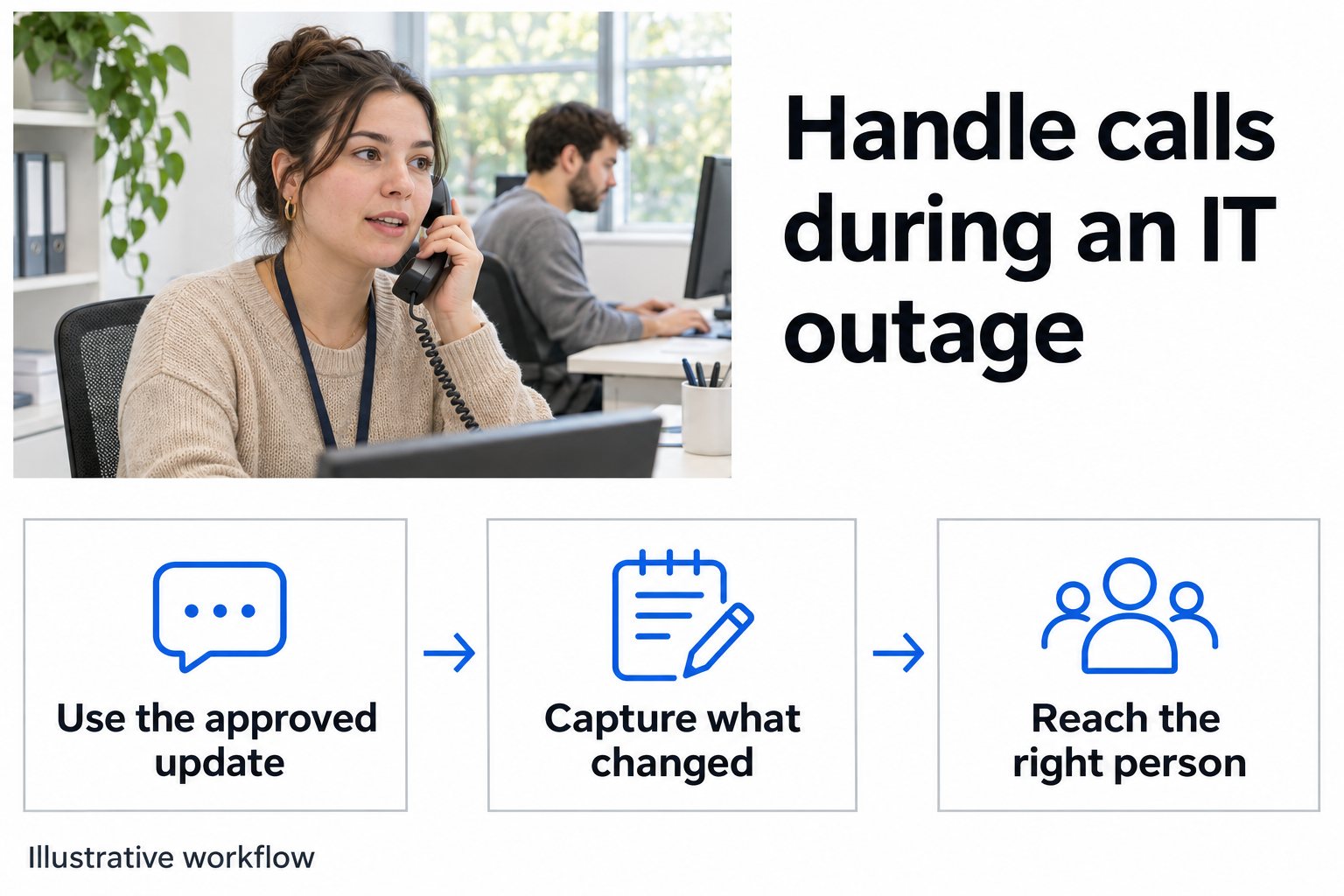
- 01 →
Use the approved update
Share only the service status and next step your team has confirmed for that caller.
- 02 →
Capture new information
Ask whether the caller needs an update, has a changed symptom or is reporting a different problem.
- 03
Route the exception
Give your technician the new facts and follow the agreed transfer or staff-review path.
Illustrative workflow. We confirm the connected actions and permissions for your setup before launch.
Give the next caller a clear starting point
An outage can produce several kinds of call at once. Someone wants to know whether support is aware of the problem. Another person has a new symptom. An office manager needs to explain that a critical task has stopped. The call should establish which conversation this is before repeating the same questions.
Choose a person on your team to approve the information callers may hear. Agree the affected customer, service and scope, the wording about what is happening, and the next step callers can take. Keep a restoration estimate out of that message until your team is ready to stand behind it.
Atlassian's incident communication guide recommends planning channels and messages in advance and keeping a clear source of information during an incident. For a phone workflow, your staff need an agreed place to approve the wording and a way to tell when it needs changing. Atlassian incident communication guide
Before using an AI receptionist for outage updates, agree with us how approved information reaches the agent and how staff check that the current version is being used. Make that part of the build and launch test.
Find out what this caller needs now
Begin with the business, site and service involved. Two customers saying “the app is down” may be describing unrelated problems.
Then ask a short question that helps staff choose the next step. Your approved wording might be “Are you checking on the reported problem, or has something changed since the last report?”
- They want an update. Give the approved information for their situation and explain the next step your team has chosen.
- They have new information. Capture what changed, when they noticed it and what work it is preventing.
- They are reporting a different problem. Use the ordinary support route or the exception route your team has approved.
- The connection to the known outage is unclear. Preserve that uncertainty for staff review.
Emory University's own incident process asks for the affected service, customer impact, locations and when the interruption began. Those are useful starting points for deciding which facts your team needs from a caller. Use your own service and escalation rules. Emory incident process
Follow three callers through the same busy morning
Here is an invented scenario. A customer has reported that its office cannot use a shared payment application. Your technicians are investigating and have approved a short message for callers from that business.
The first caller asks whether support knows. Confirm the business and service, then give the approved update. If no restoration time is available, make that clear. Explain the next step the team has approved for status questions.
The second caller says a branch office has also stopped taking payments. That is additional reported impact. Capture which site, what happens when staff try the application, when they noticed it and the best callback contact. Pass the new facts through the route your team has set.
The third caller can use the application but cannot sign in to email. Keep that report available for staff to assess. Its timing alone does not establish a shared cause. The caller needs the route appropriate to the email problem.
Your technicians decide whether those reports belong together. Their investigation may change the service status or the questions that intake should ask.
Give the receiving person the change that matters
A summary saying “another outage call” gives staff little to act on. The useful detail is what this caller added.
For the second caller above, a fictional handoff could read “Caller reports the branch office also cannot take payments. The shared payment application fails when submitting a transaction. Began this morning. Callback details confirmed. Caller received the current approved investigation update. New location impact sent for technician review.”
Have staff check the summary against what the caller actually said. Keep the site and reported symptom visible, and distinguish a transfer attempt from a conversation that reached someone.
Where your rules call for a warm transfer, the receiving person hears a private whisper briefing before joining. Choose the recipient and backup group in advance. Agree what callers should hear if neither answers.
Keep questions and instructions within your team's approved support process. Your technicians handle diagnosis, account access and changes to customer systems.
Decide what a repeat caller should hear
Someone may call again because the first update did not answer their practical question. Ask what they need now. They may have a new business impact, a different callback contact or a question that needs a person.
If there is no newer approved information, use the current wording honestly. A time for the next status update, if your team has approved one, is a separate commitment from restoring the service.
Agree which requests should reach staff and who owns reviewing them. A caller's preferred callback time can be recorded without promising that a technician has accepted it. Test how the call ends so the next step is understandable.
For an MSP using Autotask, we scope the connected records and actions separately. Bring an example of where staff should find new caller information. Any ticket creation, update or incident-linking action needs its own confirmation and test. Autotask connection planning
Retire the outage message when your team is ready
Choose who can approve a revised message and who confirms that ordinary call handling has resumed. Include the person covering the service desk after hours or on the next shift.
When technicians report recovery, decide what staff still need to hear from callers. One location may be working again while another still has a problem. Use the wording your team approves for that stage and keep a path for exceptions.
Before launch, try an ordinary status question, a new affected site, an unrelated problem and a repeat caller. Then replace the test outage message with a recovery update and check what a new caller hears. Include an unanswered transfer and inspect the resulting summary.
Next Gen Calls builds, connects, launches and tunes the Smart Receptionist Agent™ around those approved conversations. Bring your outage communication plan, escalation contacts and the information staff need after each call so we can agree a manageable first scope.
Common questions
What should we tell callers during an IT outage?
Use the message your support team has approved for the affected customer and service. Explain what is known and the next step. If a restoration time has not been confirmed, say that the team is still investigating. Agree how approved changes reach the agent before using it for outage updates.
Should every caller about the outage reach a technician?
Your team chooses the routing rules. A caller asking for an approved update may need a different path from someone reporting a new symptom, changed business impact or a separate problem. Make it possible to capture that difference and reach the appropriate person.
Can the agent decide that two reports are the same incident?
The agent can collect the business, site, service and symptoms your team asks for. Your technicians decide whether reports share a cause and how they should be linked in the service desk. Similar wording from two callers is not enough to make that decision.
Can an Autotask connection update the incident ticket?
Autotask is a verified integration. We confirm and test the specific records and actions for your build. If you want a ticket created, updated or linked to another incident, scope that action with us before relying on it in the outage workflow.
What happens when the on-call technician does not answer?
We can configure a backup group and voicemail fallback using your business-hours and holiday rules. The caller should hear the next step your team has approved. An AI summary helps staff review the request and see what happened during the call.